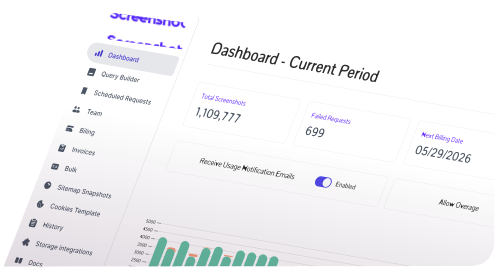
The ScreenshotAPI MCP server adds 8 tools to Claude, Cursor, VS Code, and any MCP client. Ask in plain English for a screenshot, a PDF, a scrolling video, or the rendered content of a page, and the model makes the API call for you.
$ npx -y @screenshotapinet/mcpScreenshot stripe.com on an iPhone sized screen in dark mode.
Here is stripe.com at 390 x 844 in dark mode. The image came back inline, so I can check the layout for you.
Works in
Any stdio MCP client
A language model only knows the web as it looked at training time, and most can't load a page that needs JavaScript. With the MCP server connected, the same question runs a real Chromium render and the answer is grounded in the page as it looks right now.
Without the server
Guess“Does our pricing page look right on mobile?”
I can't browse the web or view live pages, so I can't check how your pricing page renders. You could open it in your browser's device mode and share a screenshot with me.
With ScreenshotAPI MCP
Rendered“Does our pricing page look right on mobile?”
take_screenshot · width: 390I captured it at 390px. The plan cards stack correctly, but the comparison table overflows to the right and the FAQ toggle sits under the cookie banner.
Screenshots come back to the model as an image, not just a link, so it can describe the page, spot a broken layout, or compare two versions.
A failed call returns a guidance field next to the error code, so the assistant tells you what to fix instead of repeating a status number.
Your client starts the server with npx over stdio. The key stays in your local config and is stripped from every response before the model sees it.
The server is a thin, typed layer over the ScreenshotAPI REST API. It validates input before spending a credit, then hands structured JSON back to the model. Very long inputs such as large custom_html are sent as a POST body so they never hit URL length limits.
“Save https://example.com as an A4 PDF”
generate_pdf format=A4
GET /v3/screenshot output=json + token
Hosted file URL, token stripped
With the image or page content inline
Add one config block to your MCP client. There is no repo to clone and nothing to build.
Sign up free and copy the key from your dashboard.
Pick your client in the config panel and paste the block with your key.
MCP clients read their server list at startup.
“Take a screenshot of https://example.com”callstake_screenshot
Open Settings, then Developer, then Edit Config, and add the server to claude_desktop_config.json.
Restart Claude Desktop after saving.
Every tool wraps a ScreenshotAPI endpoint. The four render tools take either a url or custom_html, so the assistant can also capture HTML it just wrote.
Captures a page as PNG, JPG, or WebP and returns the hosted URL. The image also comes back inline, so the assistant can look at what it captured.
Turns a URL or raw HTML into a PDF. Pick A0 to A6, Letter, Legal, Tabloid, or Ledger, or leave format empty for one continuous page.
Renders the page in a real browser so JavaScript runs first, then returns Markdown, text, HTML, or image URLs inline.
Records the browser scrolling down a page as MP4, WebM, or GIF, at up to 10 viewport sizes in one call.
Submits up to 50 URLs as one job, each with its own options, plus defaults shared by every entry.
Uploads a CSV with a url column. Every other column becomes a render option for that row.
Reports percent_complete, successful_urls, and failed_urls for a bulk job.
Returns one row per URL with its status, screenshot link, and any error message.
take_screenshot, generate_pdf, scrape_page, and record_scrolling_video all accept the same page preparation options, so a prompt like “hide the cookie banner” works for every format.
widthheightdelaywait_for_eventlazy_loadscroll_delaytimeoutcssjsremove_selectorblur_selectorselector_to_clickscroll_to_elementblock_jsblock_specific_requestsdark_modeuser_agentheaderscookiesproxytimezonebyobstorage_servicebucket_nameTry it
Pick a prompt to see which tool the client calls and what it sends to ScreenshotAPI. Exact wording of the reply depends on the model.
Screenshot stripe.com on an iPhone sized screen in dark mode.
take_screenshotHosted PNG URL, plus the image returned inline
Here is stripe.com at 390px wide in dark mode. I can see the capture, so ask me what to check on it.
More prompts to try
Copy one and paste it into your client.
“Grab just the pricing table on https://example.com/pricing”
take_screenshot
“Screenshot our staging site and blur anything with .user-email”
take_screenshot
“Show me how https://www.bbc.com looks from Germany in German”
take_screenshot
“Turn this HTML invoice into a Letter size PDF”
generate_pdf
“Export only pages 2-4 of https://docs.example.com/guide as a PDF”
generate_pdf
“List every image URL on https://unsplash.com”
scrape_page
“Make a scrolling GIF of our landing page at desktop and mobile sizes”
record_scrolling_video
“What's the status of my bulk job? Download the results when done”
get_bulk_status
Tool calls never crash the server. Upstream errors come back as structured results with error, code, message, and a guidance field, so your assistant can explain the problem and suggest the fix.
{
  "error": "url_required",
  "code": 400,
  "message": "Provide either 'url' or 'custom_html'.",
  "guidance": "Pass a fully qualified URL including the protocol, e.g. 'https://example.com', or pass custom_html instead."           }
What your assistant says
Take a screenshot for me
I need a page to capture. Send me a full URL such as https://example.com, or paste the HTML and I'll render that instead.
Built from the highlighted guidance line. Exact wording depends on the model.
Short answers on cost, setup, API keys, and the most common capture problems.
Don't see your question here?
Browse all help articles